CFDForge™ – Smart OpenFOAM GUI – Internal Flow Industrial Training – OpenFOAM CFD
About Course
Master Industrial Internal Flow CFD with CFDForge™ + OpenFOAM (Hands-On Training)
If you want to use OpenFOAM confidently for real industrial internal flow problems, and add this skill in your resume, this course is designed exactly for you.
In this hands-on training, you will learn how to set up, run, monitor, and post-process internal flow simulations using CFDForge™, a purpose-built OpenFOAM smart automated workflow that removes complexity while keeping full solver transparency.
You will not just watch simulations — you will run them yourself using a 30-day licensed version of CFDForge™ provided as a downloadable resource.
What you’ll gain from this course
Run industrial-grade internal flow simulations without struggling with OpenFOAM syntax
Understand solver setup, meshing, boundary conditions, and convergence monitoring
Handle single inlet, multiple inlet, and multiple outlet flow scenarios
Gain confidence in pressure, velocity, and residual analysis
Perform professional 3D post-processing in ParaView
Learn workflows directly applicable to mechanical, aerospace, automotive, and CFD roles
What this course covers
This training is structured around practical engineering cases:
Introduction to CFDForge™
Learn the CFDForge™ workflow, project setup, solver execution, and monitoring tools.Air flow through a bent circular pipe
Understand pressure loss, velocity development, and residual convergence.Water flow through an irrigation pipe with multiple outlets
Learn mass flow distribution and pressure behavior across outlets.Water flow through an irrigation pipe with multiple inlets
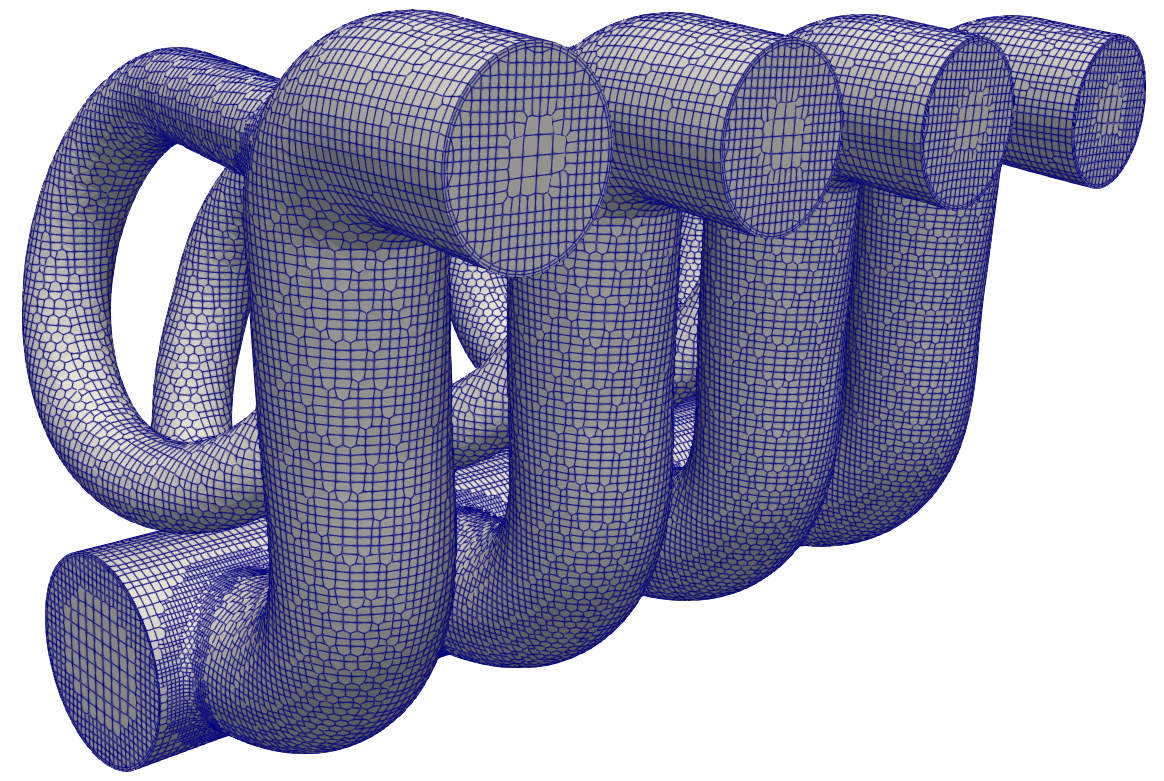
Handle complex inlet interactions and flow balancing.Air flow through a complex exhaust manifold
Solve realistic industrial geometry with internal flow physics.3D post-processing using ParaView
Visualize velocity, pressure, streamlines, and contours professionally.
Software & License Included
CFDForge™ setup file included
Academic license key valid for 30 days after activation
Based on OpenFOAM (industry-proven open-source CFD)
Who this course is for
Engineering students learning OpenFOAM
CFD beginners struggling with case setup
Practicing engineers who want faster internal flow simulations
Anyone preparing for CFD jobs, internships, or research
No prior industrial CFD experience is required — this course builds practical skills step by step.
If you want to move beyond tutorials and start solving real internal flow problems using OpenFOAM, this CFDForge™ training will give you the clarity, confidence, and workflow you need.
Enroll now and start running industrial CFD simulations today!
Course Content
Using CFDForge™ for Internal Flow Industrial CFD Applications
1. Introduction to CFDForge™
17:052. Air flow case through bent circular pipe
06:573. Water flow case through irrigation pipe with multiple outlets
20:284. Water flow case through irrigation pipe with multiple inlets
10:565. Air flow case through complex exhaust manifold
27:526. Postprocess 3D results in ParaView
08:21
Student Ratings & Reviews

